
User's Manual


VSG-1200 User’s Guide
Chapter 28 Configuration and Firmware Maintenance 225
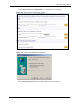
Figure 164 System Tools: Configuration: Restore: TFTP
2 In the Restore section, Enter the IP address of the TFTP server in dotted decimal notation
in the TFTP Server IP Address field.
3 Specify a file name for the configuration backup in the Text File Name field.
4 Click Apply to start the configuration restore process. The VSG automatically restarts
after the restoration process is complete.