
User's Manual






VSG-1200 User’s Guide
216 Chapter 28 Configuration and Firmware Maintenance
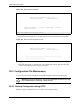
Figure 148 Firmware Upgrade: Links
28.2.1.1 Manual Firmware Upgrade
Follow the steps below to upgrade the firmware manually.
1 Download the latest firmware from www.zyxel.com to your computer. Unzip the file if it
is zipped.
2 Access the web configurator. Refer to the section on accessing the web configurator for
instructions.
3 Click System Tools, Firmware and the Manual Firmware Upgrade link to display the
screen as shown.
Figure 149 Firmware Upgrade: Manual
4 Specify the firmware file name in the Local PC File Path field (or click Browse to locate
it).
5 Click Apply to start the file transfer process.
6 When the file transfer is completed successfully, the following message displays and the
VSG automatically restarts to complete the firmware upgrade process.
Figure 150 Web Configurator: Firmware Upgrade Successful
7 After the VSG finishes restarting, access the web configurator again. Check the firmware
version number in the System Status screen.
28.2.1.2 Manual Firmware Upgrade via a TFTP Server
Follow the steps below to upload the firmware using the web configurator.
1 Download the latest firmware from www.zyxel.com and store it in a TFTP server. Unzip
the file if it is zipped.