
Operation Manual






Chapter 17 Universal Plug-and-Play (UPnP)
NBG334S User’s Guide
169
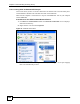
Figure 100 Network Connections: My Network Places
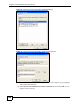
6 Right-click on the icon for your NBG334S and select Properties. A properties window
displays with basic information about the NBG334S.
Figure 101 Network Connections: My Network Places: Properties: Example