
Operation Manual




Chapter 4 Introducing the Web Configurator
NBG318S User’s Guide
50
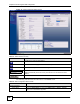
4.4.3 Summary: Any IP Table
This screen displays the IP address of each computer that is using the NBG318S via the any IP
feature. Any IP allows computers to access the Internet through the NBG318S without
changing their network settings when NAT is enabled. To access this screen, open the Status
screen (see
Section 4.4.1 on page 45), and click (Details...) next to Any IP Table.
Figure 11 Any IP Table
Remote
MGMT
WWW Use this screen to configure through which interface(s) and from
which IP address(es) users can use HTTP to manage the
NBG318S.
Telnet Use this screen to configure through which interface(s) and from
which IP address(es) users can use Telnet to manage the
NBG318S.
FTP Use this screen to configure through which interface(s) and from
which IP address(es) users can use FTP to access the NBG318S.
DNS Use this screen to configure through which interface(s) and from
which IP address(es) users can send DNS queries to the
NBG318S.
UPnP General Use this screen to enable UPnP on the NBG318S.
Maintenance
System General Use this screen to view and change administrative settings such as
system and domain names, password and inactivity timer.
Time Setting Use this screen to change your NBG318S’s time and date.
Logs View Log Use this screen to view the logs for the categories that you
selected.
Log Settings Use this screen to change your NBG318S’s log settings.
To o l s Firmware Use this screen to upload firmware to your NBG318S.
Configuration Use this screen to backup and restore the configuration or reset
the factory defaults to your NBG318S.
Restart This screen allows you to reboot the NBG318S without turning the
power off.
Config Mode General This screen allows you to display or hide the advanced screens or
features.
Sys OP
Mode
General This screen allows you to select whether the NBG318S operates
as a router or an access point. The router option allows you to
select whether you have an Ethernet or a powerline WAN
connection to the Internet.
Language Language This allows you to change the web configurator’s language
settings.
Table 6 Screens Summary
LINK TAB FUNCTION