
Operation Manual







Appendix A Product Specifications and Wall-Mounting Instructions
NBG318S User’s Guide
242
The following list, which is not exhaustive, illustrates the standards supported in the
NBG318S.
Table 103 Standards Supported
STANDARD DESCRIPTION
RFC 867 Daytime Protocol
RFC 868 Time Protocol.
RFC 1112 IGMP v1
RFC 1305 Network Time Protocol (NTP version 3)
RFC 1631 IP Network Address Translator (NAT)
RFC 1661 The Point-to-Point Protocol (PPP)
RFC 2236 Internet Group Management Protocol, Version 2.
RFC 2516 A Method for Transmitting PPP Over Ethernet (PPPoE)
RFC 2766 Network Address Translation - Protocol
IEEE 802.11 Also known by the brand Wi-Fi, denotes a set of Wireless LAN/WLAN
standards developed by working group 11 of the IEEE LAN/MAN
Standards Committee (IEEE 802).
IEEE 802.11b Uses the 2.4 gigahertz (GHz) band
IEEE 802.11g Uses the 2.4 gigahertz (GHz) band
IEEE 802.11d Standard for Local and Metropolitan Area Networks: Media Access
Control (MAC) Bridges
IEEE 802.11x Port Based Network Access Control.
IEEE 802.11e QoS IEEE 802.11 e Wireless LAN for Quality of Service
Microsoft PPTP MS PPTP (Microsoft's implementation of Point to Point Tunneling
Protocol)
HomePlug AV The HomePlug AV standard specifies how network devices communicate
using standard electrical wiring.
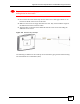
Wall-mounting Instructions
Do the following to hang your NBG318S on a wall.
" See the product specifications appendix for the size of screws to use and how
far apart to place them.
1 Locate a high position on a wall that is free of obstructions. Use a sturdy wall.
2 Drill two holes for the screws. Make sure the distance between the centers of the holes
matches what is listed in the product specifications appendix.