
Operation Manual




Chapter 18 Remote Management
NBG318S User’s Guide
178
1 You have disabled that service in one of the remote management screens.
2 The IP address in the Secured Client IP Address field does not match the client IP
address. If it does not match, the NBG318S will disconnect the session immediately.
3 There is already another remote management session with an equal or higher priority
running. You may only have one remote management session running at one time.
4 There is a firewall rule that blocks it.
18.1.2 Remote Management and NAT
When NAT is enabled:
• Use the NBG318S’s WAN IP address when configuring from the WAN.
• Use the NBG318S’s LAN IP address when configuring from the LAN.
18.1.3 System Timeout
There is a default system management idle timeout of five minutes (three hundred seconds).
The NBG318S automatically logs you out if the management session remains idle for longer
than this timeout period. The management session does not time out when a statistics screen is
polling. You can change the timeout period in the System screen
18.2 WWW Screen
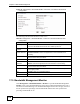
To change your NBG318S’s World Wide Web settings, click Management > Remote
MGMT to display the WWW screen.
Figure 96 Management > Remote MGMT > WWW
The following table describes the labels in this screen
Table 70 Management > Remote MGMT > WWW
18.3 Telnet
You can configure your NBG318S for remote Telnet access as shown next. The administrator
uses Telnet from a computer on a remote network to access the NBG318S.