
Operation Manual




Chapter 17 Bandwidth Management
NBG318S User’s Guide
174
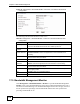
Figure 94 Management > Bandwidth MGMT > Advanced: User-defined Service Rule
Configuration
The following table describes the labels in this screen
Table 69 Management > Bandwidth MGMT > Advanced: User-defined Service Rule
Configuration
LABEL DESCRIPTION
BW Budget Select Maximum Bandwidth or Minimum Bandwidth and specify the maximum
or minimum bandwidth allowed for the rule in kilobits per second.
Destination
Address
Enter the destination IP address in dotted decimal notation.
Destination
Subnet Netmask
Enter the destination subnet mask. This field is N/A if you do not specify a
Destination Address. Refer to the appendices for more information on IP
subnetting.
Destination Port Enter the port number of the destination. See Appendix F on page 287 for some
common services and port numbers.
Source Address Enter the source IP address in dotted decimal notation.
Source Subnet
Netmask
Enter the destination subnet mask. This field is N/A if you do not specify a Source
Address. Refer to the appendices for more information on IP subnetting.
Source Port Enter the port number of the source. See Appendix F on page 287 for some
common services and port numbers.
Protocol Select the protocol (TCP or UDP) or select User defined and enter the protocol
(service type) number.
OK Click OK to save your customized settings.
Cancel Click Cancel to exit this screen without saving.
17.9 Bandwidth Management Monitor
Click Management > Bandwidth MGMT > Monitor to open the bandwidth management
Monitor screen. View the bandwidth usage of the WAN configured bandwidth rules. This is
also shown as bandwidth usage over the bandwidth budget for each rule. The gray section of
the bar represents the percentage of unused bandwidth and the blue color represents the
percentage of bandwidth in use.