
User`s guide




Chapter 2 Tutorial
P-2602HWUDL-D User’s Guide
70
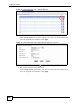
Figure 40 Tutorial Example: Firewall Rule: WAN to LAN Service Edit for Web Server
7 Click the Add button to configure a firewall rule to allow traffic from the WAN to the
mail server.
Select Any in the Destination Address List box and click Delete.
Select Single Address as the destination address type. Enter “192.168.1.13” and click
Add.