
User`s guide




Chapter 2 Tutorial
P-2602HWUDL-D User’s Guide
68
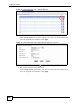
Figure 36 Tutorial Example: Allow WAN-to-LAN Traffic
1 Click Security > Firewall.
2 Make sure the firewall is enabled and traffic from the WAN to the LAN is dropped.
Figure 37 Tutorial Example: Firewall > General
3 Go to the Rules screen.
4 Select the WA N t o LA N packet direction and click the Add button to create a new
firewall rule.
Internet
FTP
FTP
192.168.1.39
192.168.1.39
192.168.1.12
192.168.1.13
Mail
Web
WAN
LAN