
User`s guide




Chapter 2 Tutorial
P-2602HWUDL-D User’s Guide
66
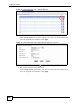
Figure 32 Tutorial Example: NAT Address Mapping Done
" To allow traffic from the WAN to be forwarded through the ZyXEL Device, you
must also create a firewall rule. Refer to Section 2.5.5 on page 67 for more
information.
2.5.4 Forwarding Traffic from the WAN to a Local Computer
A server NAT address mapping rule allows computers behind the NAT be accessible to the
outside world. To have the ZyXEL Device forward incoming traffic to a specific computer on
your local network, you should also create a port forwarding (server mapping) rule.
In this example, you want to forward FTP traffic using port 21 to the computer with the IP
address of 192.168.1.39.
Figure 33 Tutorial Example: Forwarding Incoming FTP Traffic to a Local Computer
1 Click Advanced > NAT > Address Mapping.
2 Click the forth rule’s Edit icon ( ) to configure a server rule.
Internet
FTP
FTP
192.168.1.39
192.168.1.39
192.168.1.12
192.168.1.13
Mail
Web
1.2.3.4
1.2.3.5
1.2.3.6
1.2.3.7
WAN
LAN
Mapping rules:
Incoming traffic <--- 1.2.3.4 (Server)