
User`s guide




Chapter 2 Tutorial
P-2602HWUDL-D User’s Guide
65
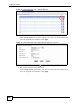
Figure 30 Tutorial Example: NAT Address Mapping Edit: One-to-One (2)
8 Click the third rule’s Edit icon ( ).
9 Map a public IP address to other outgoing LAN traffic.
Select the Many-to-One type and enter 192.168.1.1 as the local start IP address,
192.168.1.254 as the local end IP address and 1.2.3.4 as the global start IP address. Click
Apply.
Figure 31 Tutorial Example: NAT Address Mapping Edit: Many-to-One
10 After the configurations, the Address Mapping screen looks as shown. You still have
one IP address (1.2.3.7) that can be assigned to another internal server when you expand
your network.