
User`s guide




Chapter 2 Tutorial
P-2602HWUDL-D User’s Guide
64
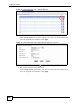
Figure 28 Tutorial Example: NAT > Address Mapping
5 Map a public IP address to the web server.
Select the One-to-One type and enter 192.168.1.12 as the local start IP address and
1.2.3.5 as the global start IP address. Click Apply.
Figure 29 Tutorial Example: NAT Address Mapping Edit: One-to-One (1)
6 Click the second rule’s Edit icon ( ).
7 Map a public IP address to the mail server.
Select the One-to-One type and enter 192.168.1.13 as the local start IP address and
1.2.3.6 as the global start IP address. Click Apply.