
User`s guide



Chapter 24 Universal Plug-and-Play (UPnP)
P-2602HWUDL-D User’s Guide
351
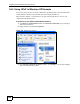
Figure 242 Windows Optional Networking Components Wizard
5 In the Networking Services window, select the Universal Plug and Play check box.
Figure 243 Networking Services
6 Click OK to go back to the Windows Optional Networking Component Wizard
window and click Next.