
User`s manual



8
ZOTAC ZBOX nano
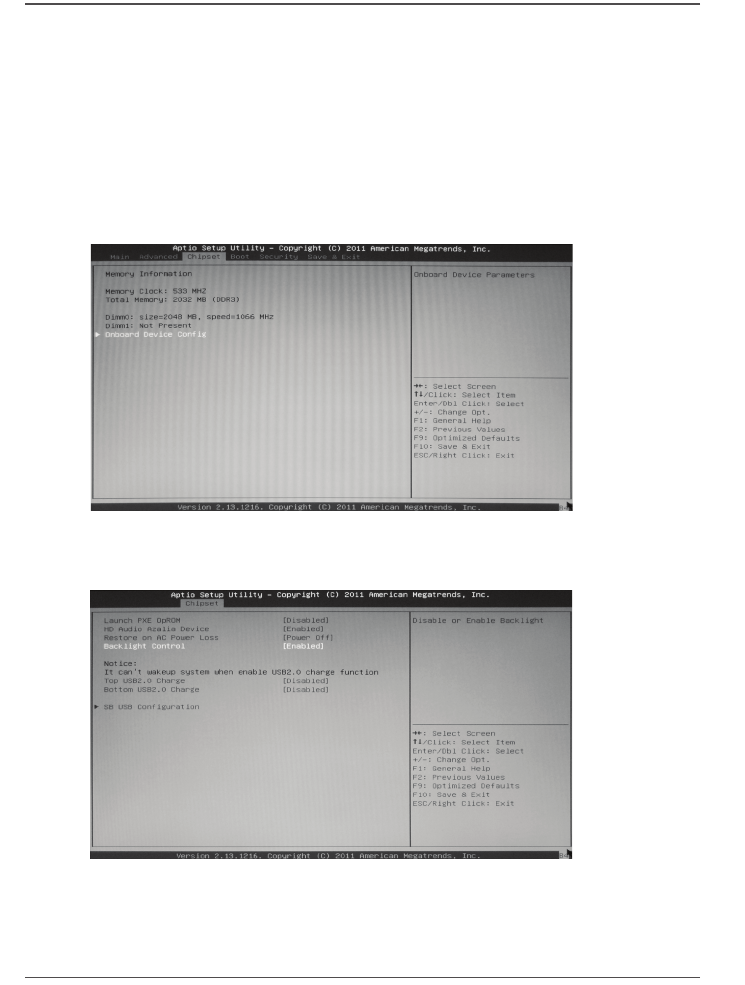
How to disable the ring LED indicator
1. Turn on the ZBOX nano mini-PC, then press <Delete> to enter the BIOS
SETUP UTILITY.
2. Use the arrow keys to navigate to the Chipset menu and select Onboard
Device Cong.
3. Press <Enter> to display the Onboard Device Cong and navigate to
Backlight Control.
BIOS settings of specic functions
ZOTAC ZBOX nano has some specic functions which can be enabled or disabled in
BIOS settings, such as LED indicator, USB2.0 charge and CIR controller.