
User manual


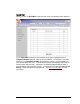


5 To send a message, select Create Message from the left hand menu. The
following page appears:
6 Enter the message you want to send in the box next to Text message. The
maximum length of the text message is 160 characters.
7 Enter the phone number of the person you want to send the text to in the
Phone number box.
8 Click Send to send your text message. The Modem/Router will respond with
a Sent OK message to let you know the message was sent.
46 3G+ Modem/Router with Wireless-N and Phone Port User Manual