
User Manual
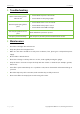


Table Of Contents

ZKAIO4000W User Manual
Page | 15 Copyright©2022 ZKTECO CO., LTD. All rights reserved.
4 Troubleshooting
Can not start device, power
indicator off.
1. Check whether power socket works.
2. Check whether cable plugs tightly.
Printer keeps beeping, fails to
print.
1. Check whether the cover closed well.
2. Check whether the paper is out of.
3. Check whether the LED is still light.
No noise, the printer can not
print.
Check whether the printer is opened.
Receipt is printed unclearly. Turn off power, swab the print head with medical alcohol.
5 Maintenance
1. Avoid direct sunlight, dust and water etc.
2. Keep away from electromagnetic filed.
3. Make sure the device should be in well power condition, if not, please give a independent power
supply.
4. Do not shake or kick the device.
5. Please don't change or add any devices to it. Also, avoid regularly moving the gadget.
6. Keep the device clean. Do not wipe the body with wet clothes or chemicals (For example: gasoline,
thinner etc).
7. Turn off the power immediately once a problem occurs, Don't disassemble and maintain things on
your own.
8. Check the temporary cable connectins, make sure that they are fully connected.
9. Please turn off the electricity if you won't be using it for a time.