
Daim Ntawv Qhia Tus Neeg Siv

15
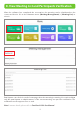
8. View Meeting List and Participants Verification
After the software has completed the reservation, the meeting can be distributed to the
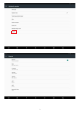
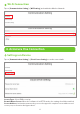
connected device. Go to the firmware menu [Meeting Management] > [Meeting List] to
view it.
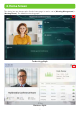
Participants can check-in on the home page when the meeting is starting. It is restricted that
only the participants or administrators of the current meeting can pass the verification. The
verification mode supports face or card.
Note: For more details, please refer to FaceKiosk-H10A User Manual.