User's Manual
Manuals
Brands
Zhuhai Pantum Electronics Manuals
Computers & Accessories
Monochrome Laser Printer
61
62
63
64
65
66
67
68
69
70
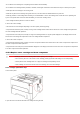
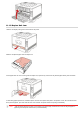
1.Open
the rear
cover.
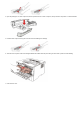
2.Open
the fuser
door
using the
handles
on
both
sides.
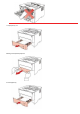
3.Gently pull
the jammed
paper out.
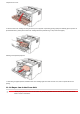
4.
After
taking
papers jammed
out,
close
the back
cover
and
open the
front
cover
and
then
the
printer
will
recover
printing.
1
...
...
67
68
69
70
71
...
...
80