
User's Manual
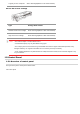
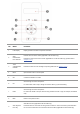
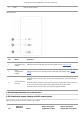




This printer supports using the special paper for printing. Special paper includes: label paper,envelope, transparent film, thick
paper,carton paper, thin paper.
Note: • When using special paper or print media, be sure to select matched print type and size in the print settings so as to
get the best print effect.
Please observe the following standards:
Types of
Print
Media
Correct Practices Incorrect Practices
Label
Paper
Use labels with no exposed lining paper only.
Labels shall be put flat when using.
Use labels of full sheet only.
There is no guarantee that all the labels in
the market can meet corresponding
requirements.
Use wrinkled, blistered or damaged label papers.
Envelope Envelopes should be loaded evenly.
Use wrinkled, nicked, stuck or damaged envelopes.
Use envelopes with clips, snaps, windows, or coated linings.
Use envelopes with self-adhesive stickers or other synthetic
materials.
Transparent
Film
Only use transparent films approved for use
in laser printers.
Use transparent print media that is not suitable for laser
printers.
Thick
Paper,
carton
paper
Only use heavy paper that is approved for
use in laser printers and meets the weight
specifications of this printer.
Use the paper whose weight is more than the specification of
the media recommended for this printer, unless the paper is
approved for use in this printer.
2.3.Loading Paper
2.3.1.Loading into the Automatic Feeder Tray
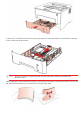
1.Slide out the automatic feeder tray from the printer.