
User's Manual


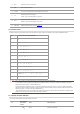


2 Green indicator normally on Printer is ready
3
Green indicator blinks Operative modes of Print, Copy, Scan, Fax and others
4
Orange indicator blinks Low toner warning
5
Red indicator normally on
• Toner cartridge error (uninstalled ink cartridge, unmatching ink
cartridge, invalid toner cartridge)
• Drum unit error (the drum units are not installed, not compatible
or come to the end of their service lives.)
• Paper error (a paper out, paper jam or feed failure occurs)
• Scan error (a scanning failure occurs, and the ADF has an open
cover or a paper jam.)
• Fax error or printer error such as the front cover of the printer is
open.
1.7. Function of power indicator
No.
Status
displayed by
power indicator
Status Status Description
1
Die out Shutdown status
2
Always on Booting and ready states
3
Blink Sleep mode