
User`s manual



Chapter 3_______________________________________________________Zaxcom Deva User’s Manual
70
Input Meter Menu page
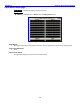
Page purpose: Simultaneously displays all of the input levels.
How to get here:
(MENU key Setup button Meters button Display Inputs button)
Figure 3-25 Input Meter Menu page
Page Notes
Although all of the meters can be pressed, there is no action programmed to occur because of being pressed.
Page Level Shortcuts
None
Input Level meters
They graphically display the current level in each input channel.