
User`s manual



Zaxcom Deva User’s Manual_______________________________________________________ Chapter 3
69
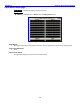
Meter Labels page
Page purpose: Opens a window that allows you to enter descriptive text for any or all of the meters.
How to get here:
(MENU key Setup button Meters button Meter Labels button)
Deva-16 view Deva-5.8 view
Figure 3-24 Meter Labels page
Page Notes
None
Page Level Shortcuts
0 – 9 keys – displays the Keyboard page {p.135} for entry of the label text (0 = 10).
Meter (#) Label buttons
Pressing any button displays the Keyboard page {p.135} for entry of the label text.
Maximum characters per label: 16 Default setting: ‘Ch’ & (the channel number)
Meter (#) Label buttons Shortcuts
See: Keyboard page {p.135}, with the following exception(s):
TAB key – advances the data entry field to the next label in sequence.