
User`s manual




Chapter 3_______________________________________________________Zaxcom Deva User’s Manual
60
Setup page
Page purpose: It sets the main operating parameters such as sample-rate, number of channels, sync reference,
etc.
How to get here:
(MENU key Setup button)
Standard view With Service button
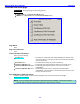
Figure 3-16 Setup page
Page Notes
None
Page Level Shortcuts
None
Sample Rate button
Pressing it displays the Sample Rate page {p.62}.
Record Channels button
Pressing it displays the Record Track Select page {p.63}.
Pre-Record Time button
Pressing it cycles through Off, 1 Secs, 2 Secs, 3 Secs, 4 Secs, 5 Secs, 6 Secs, 7 Secs, 8 Secs, 9 Secs and 10
Secs. This means that the Deva, using a memory buffer, begins recording a set number of seconds before the
REC key is pressed. This eliminates 'pre-roll' problems at video transfer houses, and is invaluable in documentary
recording where events are not predictable.
IMPORTANT: Pre-record time is only available when recording at 48.048 kHz and below. It is disabled at
higher sampling-rates.
Tone Level button
Pressing it cycles the level through -20, -18, -16, -14 and -12 dB. The scale is in dBFS.
Operating Modes button
Pressing it displays the Operating Mode page {p.64}.
Meters button
Pressing it displays the Meter Menu page {p.67}.
Headphone Options button
Pressing it displays the Headphone Options page {p.74}.
Clock button
Pressing it displays the Time/Date page {p.80}.