
User`s manual



Chapter 3_______________________________________________________Zaxcom Deva User’s Manual
118
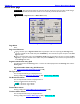
Format Menu Warning page
Page purpose: This page is the next to last safety check to prevent accidentally erasing and reformatting the
Primary Drive, preparing it to accept new data.
How to get here:
(MENU key My Deva button Internal HD drive button Format Drive button)
Figure 3-58 Format Menu Warning page
Page Notes
None
Page Level Shortcuts
None
Format Drive button
Once you press it, a dialog box is displayed asking”ARE YOU SURE?” and “OK to FORMAT?”.
If you press the OK button, the screen displays the Formatting dialog box {p.119}.
If you press the Cancel button, the screen displays the Mirror Drive page {p.120}.
Do Not Format Drive button
Pressing it takes you back to the Internal Disk Utilities page {p.113}.