
User`s manual



Chapter 3_______________________________________________________Zaxcom Deva User’s Manual
116
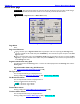
Folder “???” Contents page
Page purpose: This page displays and maintains data for each Take.
How to get here:
(MENU key My Deva button Internal HD drive button Current Folder button Folder buttons)
Figure 3-57 Folder “???” Contents page
Page Notes
None
Page Level Shortcuts
None
#:# Segs field
It displays the current segment # and the total number of segments in the current folder. If the current segment #
is larger than the total, the data will be applied to the next take, when recording starts.
Take buttons
Pressing it while it is not highlighted, highlights it.
Pressing it while it is highlighted, takes you to the Scene Take Note page {p.131} for that file.
Each of the Take buttons contains information about one Take, including: the segment # (i.e., 001), number of
recorded tracks (i.e., 10 Ch), sampling-rate (i.e., 44100Hz), duration (i.e., Dur 00:01:08), timecode start (i.e.,
TC:01:18:52:12), user-bits (UB:00:00:00:00), Scene number (i.e., S:1), Take number (i.e., T:1) and a Note (i.e.,
N:Good).
Up Arrow button
Press it to navigate up through the list of files, one file at a time.
Page Up button
Press it to navigate up through the list of files, four files at a time.
Enter Seg # button
Press it to navigate directly to a specified audio Take (segment).
Enter Seg # button Shortcuts
See: Common Data Entry Field Shortcuts List {p.159}
Page Down button
Press it to navigate down through the list of files, four files at a time.
Edit STN (Scene, Take, Note) button
Pressing it displays the Scene Take Note page {p.131}.