
User`s manual



Chapter 3_______________________________________________________Zaxcom Deva User’s Manual
114
Disk Folders page
Page purpose: Lists all of the folders on the Primary Drive and allows you to manage them.
How to get here:
(MENU key My Deva button Internal HD drive button Current Folder button)
WARNING: Do not change folders while mirroring is turned ‘ON’. Doing so may cause the mirroring process
to skip files or cause the Deva to stop responding.
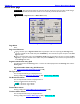
Figure 3-56 Disk Folders page
Page Notes
None
Page Level Shortcuts
None
Folder buttons
Pressing it once while it is not highlighted selects it as the destination folder for audio files recorded from then on.
Pressing it while it is highlighted takes you to the Folder “???” Contents page {p.116}, and displays its contents.
Each of the Folder buttons contains information about the contents of the folder it represents, including: name of
the folder, number of segments in the folder, total size of all Segments, and its file format (always MARF).
The Folder Name is the Sound Roll Number.
Up Arrow button
Press it to navigate up through the list of folders, one folder at a time.
Sort Order button
Native – Sorted by the sequence it was created.
By Name – Sorted by the name.
Page Up button
Press it to navigate up through the list of folders, five folders at a time.
Enable Mirror Playback button
If the Deva has a CF card installed, this enables you to playback mirrored data from it.
Default setting: disabled.
IMPORTANT: This playback feature is limited and is only for periodic checking of files. Playback from an
external FireWire device may not be able to keep up with the playback data rate and may stop after several
seconds of playback if the data buffer underruns.