
User`s manual



Zaxcom Deva User’s Manual_______________________________________________________ Chapter 3
113
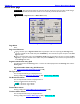
Internal Disk Utilities page
Page purpose: This page provides options for managing folders and files on the Primary Drive.
How to get here:
(MENU key My Deva button Internal HD drive button)
Figure 3-55 Internal Disk Utilities page
Page Notes
None
Page Level Shortcuts
None
Erase Current Folder button
Pressing it erases the currently selected folder. Once you press it, a confirmation dialog box is displayed to
prevent accidentally erasing material.
NOTE: Erasing the folder is not the same as deleting the folder. Only the folder’s contents are erased. The
folder and its name remain. If you are using Sound Roll Numbers, you will need to change the folder’s name
to the appropriate Sound Roll Number.
Current Folder button
The currently selected folder name is displayed above it
Pressing it displays the Disk Folders page {p.114}.
Delete Last Segment button
Pressing it deletes the last Take in the current folder. Once you press it, a confirmation dialog box is displayed to
prevent accidentally deleting material.
Format Drive button
Pressing it displays the Format Menu Warning page {p.118}.