
User`s manual



Chapter 3_______________________________________________________Zaxcom Deva User’s Manual
112
My Deva page
Page purpose: It sets the parameters for all the recording devices, including the Primary Drive, the Backup Drive
and any external FireWire device.
How to get here:
(MENU key My Deva button)
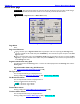
Figure 3-54 My Deva page
Page Notes
The selections for the CF card drive, Internal DVD or the external FireWire device allows you to set options
independent of the Primary Drive settings. You can set different options for all of the drives.
Mirroring is done simultaneously onto the selected device. Eight tracks can be mirrored to it in real time at 24-
bit resolution with a 48 kHz sampling-rate.
Page Level Shortcuts
None
Internal HD drive button
Pressing it displays the Internal Disk Utilities page {p.113}.
Internal HD drive Status button
It displays the current status of the Primary Drive.
Mirror Drive button
Pressing it displays the Mirror Drive page {p.120}.
Mirror Drive Status button
It displays the current status of the Mirror Drive.
Mirror Drive Select button
Pressing it cycles through: Compact Flash, Internal DVD and Firewire.
Firewire Power button
Pressing it toggles between Off and On.