
User`s manual



Zaxcom Deva User’s Manual_______________________________________________________ Chapter 3
111
(Analog / Digital) Input Trim page
Page purpose: This page allows you to individually adjust the gain on each of the 8 analog inputs and the camera
return input.
How to get here:
Analog
(MENU key Input Configure button Adjust Trim button)
Digital
(MENU key Input Configure button Analog Inputs Toggle button {=Digital} Adjust Trim button)
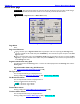
Analog Input Trim view Digital Input Trim view
Figure 3-53 (Analog / Digital) Input Trim page
Page Notes
None
Page Level Shortcuts
None
Input (#) Trim fields
It displays the current Trim value and by clicking on it allows you to change the value with the More Gain button
or Less Gain button. (Valid range: -20 – 0 – +30 dB, Value step: 1)
Input (#) Level meters
It allows you to see graphically how the signals compare to each other. The scale is in dB.
Less Gain button
Pressing it decrements the selected parameter by its step value.
More Gain button
Pressing it increments the selected parameter by its step value.
Clear Trim button
Pressing it clears all the entered trims.
Select All button
Pressing it selects all of the channels to make changes to all at the same time.
Adjusting the Trim
1. Press one of the Input (#) Level meters for the channel you want to adjust.
The Trim value for the channel turns Blue indicating it is the selected channel.
2. Press either the More Gain button or Less Gain button.
3. Repeat steps 1 & 2 until all channels have been adjusted.