
User`s manual




Zaxcom Deva User’s Manual_______________________________________________________ Chapter 3
109
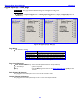
(Analog / Digital) Input Delay page
Page purpose: This page allows you to set a digital delay for any of the analog or digital inputs.
How to get here:
Analog
(MENU key Input Configure button Adjust Delay button)
Digital
(MENU key Input Configure button Analog Inputs Toggle button {=Digital} Adjust Delay button)
Analog Input Delay view Digital Input Delay view
Figure 3-52 (Analog / Digital) Input Delay page
Page Notes
None
Page Level Shortcuts
0 – 9 keys – opens the data entry field for the currently selected (highlighted) button (see Enter Delay button
Shortcuts). Type the remainder of the number and press the ENTER key.
Channel (#) buttons
Unit = msec – (Valid range: 0 – 40, Value step: 1)
Unit = samples – Valid range based on Sampling-rate
0 – 1764 44100
0 – 1919 47952
0 – 1920 48000
0 – 1922 48048
0 – 3528 88200
0 – 3840 96000
0 – 3844 96096
0 – 7680 192000
More Delay button
Pressing it increments the selected parameter by its step value.
Less Delay button
Pressing it decrements the selected parameter by its step value.
Enter Delay button
Press it to directly enter the value and press the ENTER key.
Enter Delay button Shortcuts
See: Common Data Entry Field Shortcuts List {p.159}
Clear Delay button
Pressing it resets all of the channels to zero at one time.