
User`s manual




Chapter 3_______________________________________________________Zaxcom Deva User’s Manual
108
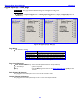
Input Configure page (Line Lvl Inputs selected) (Deva-16 only)
Page purpose: It sets the parameters of the line-level inputs.
How to get here:
(MENU key > Input Configure button > Analog Inputs Toggle button {=Line Lvl})
Figure 3-51 Input Configure page (Line Level Inputs selected)
Page Notes
None
Page Level Shortcuts
1 – 8 keys – the same as clicking on analog channel buttons 1 – 8.
Line Level Channel buttons
Pressing it re-routes a Line-Level Input to the appropriate Digital Input, but only after the Route Line Lvl Input
button has been pressed. Default settings: DISABLED
NOTE: Since pressing this button routes each line-level input to the appropriate digital input, you will need to
use the associated digital filtering and effects package for those inputs.
(Analog / Digital / Line Lvl) Inputs Toggle button
Pressing it toggles this page between the Input Configure page (Analog Inputs selected) {p.87}, Input
Configure page (Digital Inputs selected) {p.98} and Input Configure page (Line Lvl Inputs selected) (Deva-
16 only) {p.108}.
Route Line Lvl Input button
Pressing it allows routing analog line inputs 9 – 12 through the digital inputs 1 – 4.
Clear All button
Pressing it provides a convenient way to clear all the settings, and reset this page back to the factory default
settings.