
User's Guide


8
1. Plug the USB-C connector into the charger/accessory port on the bottom of your tablet.
2. Plug the other end of the USB cable into an external USB port on your computer.
3. After charging, remove the USB cable from both the tablet and the computer.
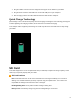
Quick Charge Technology
Quick Charge is one of the most frequently used fast charging technologies. This technology is designed
to deliver lightning-fast charging in tablets, much faster than conventional charging.
Your Coolpad Tasker supports Quick Charge 3.0. It will only take three and a half hours to fully charge
your tablet.
SD Card
Your tablet supports the use of an optional SD card (not included) to expand its storage capacity. Some
cards may not operate properly with your tablet.
SD Card Cautions
Data: Information stored on an SD card can become lost or changed accidently or as a result of
damage. It is recommended that you keep a separate copy of important data. Your carrier is not
responsible for damages from data that is lost or changed.
Reading/Writing Data: Never power off while reading or writing data.
Battery Level: A low battery charge may prevent reading/writing to an SD card.