
User's Guide

45
Install the Twitter App on Your Tablet
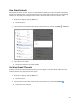
Before you can use Twitter on your tablet, you have to download and install the app from Play Store.
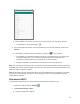
1. From home, swipe up and tap Play Store .
2. Tap Search for apps & games and search for "twitter".
3. Tap Twitter from the results list.
4. Tap Install, and then tap Accept.
The app will be downloaded and installed on your tablet.
5. When the download has completed, tap Open.
To open the app from the home screen, swipe up and tap Twitter.
Tweet on Twitter
Read Twitter feeds, follow your friends, and tweet your own updates right from your tablet.
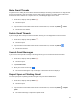
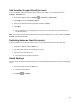
1. From home, swipe up and tap Twitter.
The Twitter app launches.
If this is the first time you’ve used Twitter on your tablet, tap Sign in to sign in to an existing
account, or tap Create account to set up a new Twitter account.
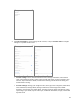
2. Tap the “What’s happening?” text box, type a tweet, and tap TWEET.
The tweet is sent and appears on your Twitter feed.