
User's Guide


99
Pointer speed
Set the speed of the pointer for a mouse/trackpad.
Text-to-speech output
Set text-to-speech options.
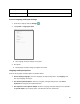
Access Language and Input Settings
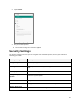
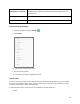
1. From home, swipe up and tap Settings .
2. Tap System > Language & input.
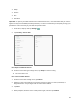
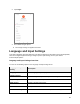
The Language and input settings menu opens.
3. Set options.
The language and input settings are applied and saved.
Language and Input Options
Some of the language and input options are detailed below.
● Set the Display Language: From the Language and input settings menu, tap Language and
then tap a language to assign it.
● Set Virtual Keyboard Options: From the Language and input settings menu, tap Virtual
keyboard and configure your keyboard options.
● Set Output for Text-to-Speech Output: From the Language and input settings menu, tap Text –
to-speech output, tap a settings option, and follow the onscreen instructions.