
User guide

Measurement Channels and Alarms
IM 04L41B01-01E
3-3
1
2
3
4
5
6
7
8
9
10
11
12
App
Index
3.3 Setting the Input Range
Set the input range for each channel.
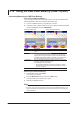
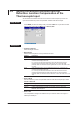
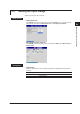
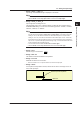
Setup Screen
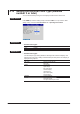
• Temperature Unit
Press MENU (to switch to setting mode), hold down FUNC for 3 s (to switch to basic
setting mode), and select the Environment tab > Operating Environment.
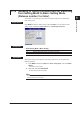
• Input Range for Each Channel
Press MENU (to switch to setting mode), and select the Menu tab > Meas channel >
Range, Alarm.
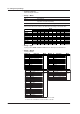
Setup Items
• Temperature
Select the temperature unit. The setting is applied to all temperature measurement
channels.
Settings Description
C Use Celsius
F Use Fahrenheit