
User's Manual


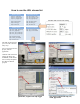


Table Of Contents
- WHLIP229_FCCID_UserManual.pdf
- FCC Warning.pdf
- _
- FCC Warning
- _
- This device complies with Part 15 of the FCC Rules. Operation is subject to the following two conditions:
- (1) this device may not cause harmful interference, and (2) this device must accept any interference received, including interference that may cause undesired operation.
- _
- NOTE 1: Any changes or modifications to this unit not expressly approved by the party responsible for compliance could void the user's authority to operate the equipment.
- _
- This device must be installed to provide a separation distance of at least 20 cm from all persons
- and must not be collocated or operating in conjunction with any other antenna or transmitter.
- _
- _
- _

24
How to use the URL stream list
Primary stream
Secondary stream
rtsp- live_h264.sdp
rtsp- live_mpeg4.sdp
rtsp- live_mjpeg.sdp
http- stream.m3u8
http- stream.jpg
http- stream.asf
rtsp- live_h264_1.sdp
rtsp- live_mpeg4_1.sdp
rtsp- live_mjpeg1.sdp
http- stream1.m3u8
http- stream1.jpg
http- stream1.asf
Combine with each stream setting
Mobile stream Pre-record stream
rtsp- live_h264_3gpp.sdp
rtsp- live_3gpp.sdp
rtsp- live_amr_audio.sdp
rtsp- live_amr_audio.sdp
http- stream2.m3u8
http- audio_aac.m3u8
http- stream2.asf
rtsp- pre_record.sdp
http- pre_record.m3u8
Realplayer, support with sdp, asf stream
Media player, support with asf stream
QuickTime, support with sdp stream
VLC player, support with sdp, asf,
m3u8, jpg stream.
The URL stream list helps
you to view the camera in
many ways.
You can put it into browser,
players, and web
application.
Combine with each stream
setting, like image size,
bandwidth, encode format.
You can easily manipulate
the video for different
purposes