All in One Printer User Manual
Manuals
Brands
Xerox Manuals
All in One Printer
WorkCentre Pro 555
281
282
283
284
285
286
287
288
289
290
C-2
0
Wor
kCe
ntre
Pro 5
55/
575
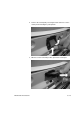
4.
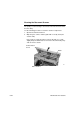
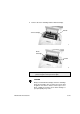
Replace t
he retard pad.
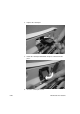
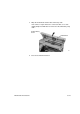
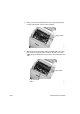
5.
Rotate the retard pad down
wards
and pres
s unt
il it cl
icks i
nto
place.
6.
C
los
e th
e cont
rol p
anel cov
er
.
1
...
...
282
283
284
285
286
...
...
327