Printer/Fax/Scanner/Copier User Guide
Manuals
Brands
Xerox Manuals
All in One Printer
WorkCentre Pro 421
41
42
43
44
45
46
47
48
49
50
WorkCentre Pro 421 User Guide
3-5
Copy
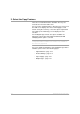
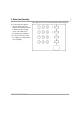
2. Press the Features Key
Featur
es Key
Pres
s [Fe
atur
es].
Ensure tha
t the Rea
dy to
Copy
screen
is di
spla
yed
.
Ready to copy
Paper
:
Auto
Output
:
Collated
Added Features
L/D
:
Auto
R/E
:
100%
1
1
...
...
41
42
43
44
45
...
...
224