
Quick Guide


Getting Started WorkCentre
®
5945/5955
62 Quick Start Guide
Enhancing Productivity
Your device is a powerful multi-functional device with many digital functions integrated into one
sleek system. It is designed to support large workgroups in different office environments. You can
do more with less and streamline your workflow with these productivity enhancing features, for
example:
• Online address books
• Customization to meet your own work processes
• Powerful documentation features for example, Booklet Creation, Special Pages, Build Job and
Annotations
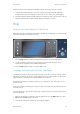
To maximize job productivity, use the Job Status button to access the Active Jobs list and manage
your jobs. If a job is urgent, use the Promote option to prioritize the job.
If a job is held in the list, it may require additional resources or a secure code to print. The reason
for the held status is displayed on the Job Progress screen. Once the requirement has been met or
the correct secure code entered, the job is released for printing.
To enhance productivity your System Administrator can change the default settings for many of the
features to the settings most commonly used in your work group. For example, your System
Administrator could increase the default darkness of copies if you regularly copy lightly marked
documents such as pencil drawings.
Refer to the System Administrator Guide for further information.