
Administrator's Guide

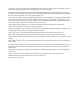


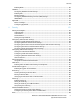
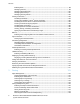
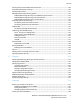

Contents
10 WorkCentre 5845/5855/5865/5875/5890 Multifunction Printer
System Administrator Guide
LAN Fax Address Book ...................................................................................................................................... 235
Font Management Utility ........................................................................................................................................ 236
Network Logs ................................................................................................................................................................ 237
Downloading a Network Log Using a USB Flash Drive ......................................................................... 237
Downloading a Network Log .......................................................................................................................... 237
Customizing Printer Contact Information ......................................................................................................... 238
Xerox Online Support ................................................................................................................................................. 239
Enabling Xerox Online Support ...................................................................................................................... 239
Restarting the Printer in CentreWare Internet Services ............................................................................... 240
Restarting the Printer at the Control Panel ............................................................................................... 240
Taking the Printer Offline ........................................................................................................................................ 241
Resetting the Printer to Factory Default Settings .......................................................................................... 242
Updating the Printer Software .............................................................................................................................. 243
Before You Begin................................................................................................................................................. 243
Determining the Printer Software Version ................................................................................................ 243
Enabling Upgrades ............................................................................................................................................. 243
Manually Upgrading Printer Software ........................................................................................................ 243
Manually Updating the Software Using a USB Flash Drive ................................................................ 244
Configuring Automatic Updates ................................................................................................................... 244
Adjusting Color, Image, and Text Detection Settings .................................................................................. 245
11 Customization and Expansion 247
Xerox Extensible Interface Platform .................................................................................................................... 248
Enabling Extensible Services ........................................................................................................................... 248
Auxiliary Interface Kit ............................................................................................................................................... 249
Driver Download Link ................................................................................................................................................ 250
Customizing or Hiding the Driver Download Link ................................................................................... 250
Creating a Custom Single-Touch Scan Service ................................................................................................ 251
Creating a Custom Single-Touch Scan Service Overview ..................................................................... 251
Creating a Single-Touch Scan Service ......................................................................................................... 251
Customizing the Appearance of Your Service .......................................................................................... 251
Associating a Scan Template with Your Service...................................................................................... 253
Locking or Hiding Your Service from Appearing on the Control Panel ........................................... 253
Weblet Management ................................................................................................................................................ 254
Enabling Weblet Installation .......................................................................................................................... 254
Installing a Weblet ............................................................................................................................................. 254
Configuring Weblet Settings .......................................................................................................................... 255
A Audit Log Event Identification Numbers 257
Audit Log Event Identification Numbers ........................................................................................................... 258