Maintenance and Cleaning
Phaser® 8500/8550 Color Printer
5-8
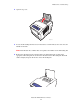
3. Insert the replacement maintenance kit and push it completely into the maintenance kit
slot. Follow the illustrated instructions included with the maintenance kit for full
installation and disposal information.
4. Close the door.
8500-038