User Guide Color Printer 8500/8550
Manuals
Brands
Xerox Manuals
Printer
8500/8550
121
122
123
124
125
126
127
128
129
130
Clearing Paper Ja
ms
Phaser® 8500/8550 Color Printer
6-10
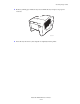
b.
Pull the jammed paper slo
wly out
of the printer
. Confirm that
any torn pieces of paper
are remov
ed.
c.
Lift the paper guides.
d.
Remov
e jammed paper
.
8500-017
1
...
...
121
122
123
124
125
...
...
145