
Copier/Printer System Administration Guide


DOCUMENT CENTRE CS 50 SYSTEM ADMINISTRATION GUIDE 2–23 METERS, CONSUMABLES, AND AUDITRON
1
2
4
5
6
7
2
4
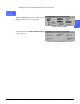
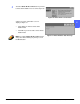
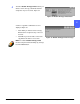
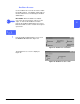
Touch the Disable All Copy Limits button if you
want to remove all copy count limits that were
assigned to any user accounts, Figure 34.
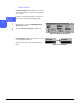
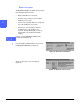
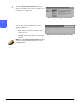
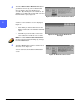
A remove copy limits confirmation screen is
displayed, Figure 35.
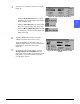
• Touch Yes if you want to remove all copy
limits that were assigned to any of the user
accounts.
• Touch No if you do not want to remove the
copy limits from all the user accounts.
NOTE: To exit the Disable All Copy Limits
function at any time without making any changes,
touch the Close button.
Figure 34: Disable All Copy Limits button
Figure 35: Disable All Copy Limits message