
User manual


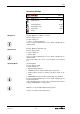




OSD
45 Version 1.5
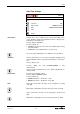
Distributed resolution
Factory setting is VGA
Possible settings are:
• VGA / 288p / VGA*
• XGA / 576p / XGA*
• SXGA- / 720p / WXGA*
Ask your network administrator for more details regarding the al-
lowed network traffic.
The streaming ratio will be changed automatically to the same
image ratio as the selected resolution in the Output Settings (4:3,
16:9 or 16:10) (see page 54).
Distributed frame rate.
Factory setting is MEDIUM
Possible settings are:
• LOW: ~1fps at VGA resolution
• MEDIUM: ~5fps at VGA resolution
• HIGH: ~20fps at VGA resolution
A higher frame rate increases the traffic on the network.
Ask your network administrator for more details regarding the al-
lowed network traffic.
Images can be streamed with the built-in web browser (see page
26).
If DHCP is de-activated, IP-address and Subnet Mask have to
match the settings on the computer. Gateway IP of the SCB-12 has
to be the IP address of the computer and the computers Gateway
has to be the IP address of the SCB-12.
Returns to previous menu page.
If the stream applet needs a long time to start, please check Java-
network settings and select "direct connection".
Streaming Format
Frame Rate
Return