
User manual






OSD
43 Version 1.5
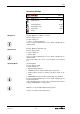
Ethernet Settings
SCB-12
ETHERNET SETTINGS
DHCP
ON
IP Address
FROM DHCP-SERVER
Subnet Mask
FROM DHCP-SERVER
Gateway IP
FROM DHCP-SERVER
Streaming Settings
Security Settings
Return
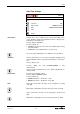
IP Address
192.
168.
0.
2.
Subnet Mask
255.
255.
255.
0.
Gateway IP
192.
168.
0.
1.
If DHCP-server is available, set it to ON.
Factory setting is ON
Possible settings are:
• ON: IP Address, Subnet Mask and Gateway IP will be set auto-
matically
• OFF: IP Address, Subnet Mask and Gateway IP have to be set
manually.
Ask your network administrator for more details regarding the in-
stalled network.
When no DHCP server is available, the respective addresses are
marked with “???.???.???.???”
De-activate DHCP and set the IP Address manually.
Factory setting is 10.0.0.160
Ask your network administrator for more details regarding the in-
stalled network.
De-activate DHCP and set the Subnet Mask manually.
Factory setting is 255.0.0.0
Ask your network administrator for more details regarding the in-
stalled network.
De-activate DHCP and set the Gateway IP Address manually.
Factory setting is 0.0.0.0
Ask your network administrator for more details regarding the in-
stalled network.
Returns to previous menu page.
DHCP
IP Address
Subnet Mask
Gateway IP
Return