
User`s manual


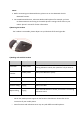


• When the red light is on, the headset is charging.
• When the blue light is on, the headset is charged fully.
• It takes about almost 3 hours to charge the headset fully.
Note: when you plug the charger cable please turn off the BH-02.
Warning:
• Do not dispose of the battery in fire or direct sun shine too long, as it may cause
explosion
II - How to use
1) Switching on / off headset
Function
Operation
LED indicator
Indication tone
Switch
on
Press the MFB button for 3
seconds, and release it till
the blue LED is on
Blue LED blink 3 times.
A long “Do Do” tone
Switch
off
Press the MFB button for 5
seconds, and release it till
the red LED is on
Red LED blink 3 times
A long “Do Do Do”
tone
2) Pairing the headset with Bluetooth devices
A. How to enter pairing mode
Function
Operation
LED indicator
Indication tone
Enter pairing mode
Make sure the headset is
off. Press and hold MFB
button for 6 seconds, and
release it till the red and
blue LEDS blink alternately
Red and blue LEDs
blink alternately.
Two “Do Do”
tones
B. Pairing the headset with Bluetooth mobile phone
Please make sure your mobile phone has Bluetooth function that can be used.