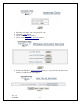
TravelNet Internet Only Cellular Router Activation Guide Activation Instructions For Models TN-2033, and TN-2055: Verizon TN-2055 Activation: 1. Connect an Ethernet Cable directly to the TravelNet Cellular Router and the Laptop. 2. Enable the Local Area Network, when connected, go to the next step. 3. Open a web browser (Internet Explorer, Firefox, Mozilla, Safari) 4. Enter the IP address: 192.168.1.10 Figure 1 Figure 2 5. Enter the user name ‘ctek’ and password ‘ctek’ 6. Click on the Login button. 7.
Figure 3 8. Click on the Over The Air Activation button. 9. If Network Stability is OK For Activation (if Not Ok for Activation, wait 3 minutes.) If Not OK for Activation for 15 additional minutes, contact Support. 10. Click the Activate button. 11. Wait 3 minutes, then check status. If still in progress, wait an additional 3 minutes. If still in progress or ‘failed’, contact support. 12. When ‘Activated’ click Back button 13. Click the Home button. 14.
19. Click on the Status-Wireless button, and verify that there is a Current IP address. This may take several minutes depending on the carrier network. Figure 5 20. Click on the Home button. 21. Click on the Restart button and confirm by clicking the Restart button again, and wait 30 seconds. 22. Do a restart of all network devices in order, first the TravelNet Router, 2nd the Edimax Router, and finally laptop. Sprint TN-2033 Activation: 1.
Figure 7 5. 6. 7. 8. Enter the user name ‘ctek’ and password ‘ctek’ Click the Log In button. Click on the Activation button. Click on the Over the Air Activation button Figure 8 9. If Network Stability is Ok for Activation then go to step 10, if Not Ok, then wait 3 minutes. If still Not Ok, call support. Figure 9 Ver. 1.
10. Click on the Activate button. 11. Wait 3 minutes, then click the Status button. If still in progress, then wait an additional 3 minutes. If still in progress or ‘failed’, contact support. 12. When status changes to ‘Activated’ click the Back button. 13. Click on the Home button. 14. Click on the Interfaces-Wireless button and change the Wireless connection type to ‘Enable’ (refer to fig. 10) Figure 10 15. At the bottom of the page, click the Update button. 16. Ok, then click the Home button. 17.
Setting Up WiFi Security on the Edimax BR-6204WG Refer to the Edimax users guide CD for additional information. Once you have an internet connection and an unsecure WiFi connection established proceed to setup WiFi security for your Edimax router. Figure 12 WEP Key Setup Figure 13 1. 2. 3. 4. 5. 6. 7. 8. 9. Log into the Edimax WiFi Router at 192.168.2.
Figure 14 WEP Key Setup Parameters Default Key Length 64-bit Key Format Description You can select the WEP key length for encryption, 64-bit or 128-bit. Larger WEP key length requires 26 hexadecimal characters. Use hexadecimal digits (in the "A-F", "a-f" and "0-9" range) to be the WEP Key. Examples: Hexadecimal Digits: 12345abcde or abcdef0123 10. Write key on piece of paper or on Edimax manual and keep in a safe place with other important documentation. 11.
Wireless Network Adapter Driver Supports Wireless Auto Configuration with Windows XP with SP2 Use the following procedure to configure Windows XP with SP2 for your infrastructure mode wireless network when the wireless network adapter supports Wireless Auto Configuration: 1.
only if your computer has a wireless network adapter installed and the adapter is turned on. 1. Open Connect to a Network by clicking the Start button Connect to. , and then clicking 2. In the Show list, click Wireless. You'll see a list of the wireless networks currently available. If you do not see a network listing similar to this example: TravelNet 1234, it may be necessary to reset power on the WiFi router, wait 45 to 60 seconds and refresh the “View Available Wireless Networks”. 3.
Support: (877) 475-7771 FAX: 847-991-3328 FAX: 847-991-3328 Ver. 1.
For Winegard TravelNet Internet Only Models (TN-2033, TN-2055, TN-2099) WINEGARD MOBILE PRODUCTS LIMITED WARRANTY (2 YEARS PARTS) Winegard Company warrants this product against defects in materials or workmanship for a period of two (2) years from the date of original purchase.
ALL OTHER WARRANTIES WHETHER EXPRESS, IMPLIED OR STATUTORY INCLUDING WARRANTIES OF FITNESS FOR A PARTICULAR PURPOSE AND MERCHANTABILITY ARE LIMITED TO THE TWO YEAR PERIOD OF THIS WARRANTY. In states that do not allow limitations on implied warranties, or the exclusion of limitation of incidental or consequential damages, the above limitations or exclusions do not apply.
removing or defacing any serial number, usage not in accordance with product instructions or acts of nature such as damage caused by wind, lightning, ice or corrosive environments such as salt spray and acid rain. RETURN AUTHORIZATION POLICY A Return Material Authorization (RMA) is required prior to returning any product to Winegard Company or Winegard Warranty Services under this warranty policy. Please call our Technical Services Department at 800-788-4417 or send an e-mail to warranty@winegard.