
User manual


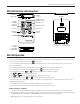


DigiWave 300 Series Digital Transceiver and Receiver
8
Getting Started: Preprogrammed Systems
If a system has been purchased, you should not need to perform any programming. The system will have been congured to your
order. Turn Master 1 on rst so other units can pair. Guest units will turn o after 5 minutes if they cannot nd a master.
1. Charge all DLTs. If using DLRs, either charge them with NiMH batteries or insert fresh Alkaline batteries. Make sure the battery
switch is in the correct position for “Alkaline” or “NiMH”. Any DLRs that will be used should have fresh batteries.
2. Identify and turn on the Master 1 rst, usually identied by a grey silicone cover. Turn on the DLT by holding the power button
until the LCD screen comes on. If Master 2 or Guests are powered up rst they will turn o after a few minutes if not paired
with the M1. As Master 2 and Guests are paired with the M1 the M1 and M2 will show C-#. The # refers to how many DLTs are
paired within the group, i.e. C-12 means that 12 DLTs are paired with the M1 or M2 within their group. This can be utilized as
an attendance checker making sure everyone is connected with the group.
3. Once all the DLTs are on, you can check the set-up status of all units by pressing the power/menu button momentarily to scroll
through the settings:
Master 1 and Master 2 screens will display:
C-6 (Chairman plus six = number of participants within the group).
ADD Address number (0 – 1023). Each DLT must have its own individual address.
Group number (0 – 1023) must be the same number for the group.
CODE Only shows if a code has been entered (code number will NOT be displayed).
“F-#” Denotes software version.
Time Displays the time of day.
All Guest units will display:
Address Number
Group Number
Secure Key Code (if entered)
Software Version
Time of Day
4. If headsets are to be worn, plug them into the jacks on the top of the DLTs making sure that the Microphone and Earphone
plugs are fully inserted into the correct jacks.
5. The Master 1 will usually be the rst speaker and should press the talk button momentarily to activate the microphone. This will be
conrmed by the red LED around the talk button illuminated. If the talk LED is ashing, the talk button was held too long and the
talk mute has been activated in the system. Hold the talk button until the LED’s stop ashing to deactivate talk mute.
6. The Master 2 and all Guest units should now be hearing audio from the M1 unit. Listening volume levels can be adjusted by
pressing the – or + button. One other DLT can activate the Talk button for team tour or teach applications. A maximum of two
talkers can be activated at any one time. For a Guest unit to talk, either the M1 or M2 will have to turn their talk button o by
quickly pressing their talk button.