
User`s manual





7-14 QX Hawk Industrial Imager User’s Manual
Master Database
Request Master Symbol Data
Returns master symbol data for any enabled master symbols from 1 to 10.
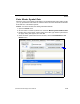
1. Click the Utilities button and the Master Database tab.
2. Click the Receive Reader’s Database button.
Read Next Symbol as Master Symbol
After the size of the database is set, the imager can read the next symbol as the master
symbol for any given master symbol number.
<Gmaster symbol number>
To store the next symbol decoded as master symbol # 1, send:
<G> or <G1>.
To store the next symbol decoded as the master symbol for any other master symbol
database number, send:
<Gmaster symbol number [1-10]>.
For example, <G5> will cause the next symbol read to be entered as master symbol # 5.
In the Master Database tab,
1. Select the master symbol index number in which new symbol data will be stored.
2. Click the Read Symbol into Selected Index button.
Caution: If an index with existing data is selected, that data will be overwritten by the
new decoded data when this command is used.