
User`s manual




VIVOTEK
User's Manual - 79
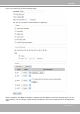
Video clip: Select to send video clips when a trigger is activated.
■Source:Selectasourceofvideoclip.
■Preeventrecording
The Network Camera has a buffer area; it temporarily holds data up to a certain limit. Enter a number
to decide the duration of recording before a trigger is activated. Up to 9 seconds can be set.
■Maximumduration
Specifythemaximumrecordingdurationinseconds.Upto10secondscanbeset.
Forexample,if preeventrecordingis settofivesecondsandthemaximumdurationis set toten
seconds, the Network Camera continues to record for another 4 seconds after a trigger is activated.
■Maximumlesize
Specifythemaximumlesizeallowed.
■Filenameprex
Enterthetextthatwillbeappendedtothefrontofthelename.
Forexample:
Click Save to enable the settings, then click Closetoexitthepage.
System log: Select to send a system log when a trigger is activated.
Click Save to enable the settings, then click Closetoexitthepage.
When completed, click Save to enable the settings and click Closeto exitthispage.Thenewmedia
settings will appear on the Event Settings page.
Video_20100113_100341
Date and time sufx
The format is: YYYYMMDD_HHMMSS
File name prex
1 sec. 2 sec. 3 sec. 4 sec. 5 sec. 6 sec. 7 sec. 8 sec. 9 sec. 10 sec.
Trigger Activation